Table of Contents
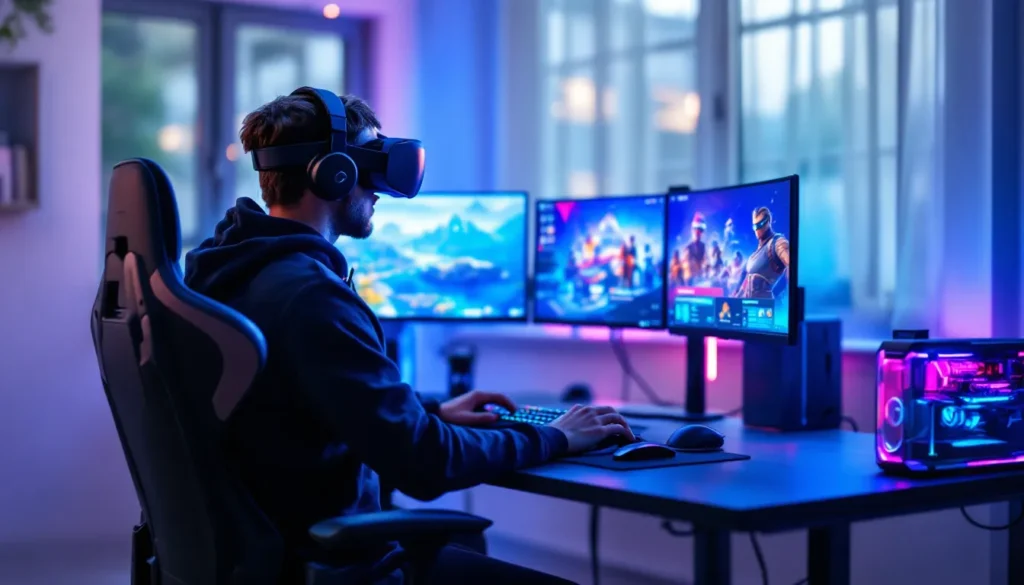
ToggleFortnite has dominated the battle royale scene for years, but one feature remains conspicuously absent: official virtual reality support. With VR gaming exploding in popularity and headsets becoming more affordable and accessible, players are hungry to experience dropping from the Battle Bus, building 90s, and clutching Victory Royales in full immersive 3D.
The reality is more complicated than you’d expect. Epic Games hasn’t shipped native VR support, but that hasn’t stopped the community from finding creative workarounds. Whether you’re curious about strapping on a headset and jumping into Tilted Towers or wondering if Epic will ever make it official, this guide breaks down everything you need to know about Fortnite VR in 2026, the hacks, the hardware, the limitations, and what the future might hold.
Key Takeaways
- Fortnite does not officially support VR as of March 2026, but third-party tools like VorpX and Virtual Desktop enable workaround solutions for players seeking immersive gameplay.
- VR Fortnite requires significant hardware investment and technical setup, with performance demanding 90+ FPS and a high-end GPU like RTX 4080 to prevent motion sickness and maintain smooth gameplay.
- Playing Fortnite in VR creates substantial competitive disadvantages, including reduced aim precision, slower building speeds, and motion sickness challenges that make serious ranked matches extremely difficult.
- Alternative VR battle royales like Population: One offer native VR support with motion controller integration but deliver smaller player bases and less frequent content updates than Fortnite.
- Epic Games likely prioritizes cross-platform accessibility and competitive balance over VR support, though future metaverse-focused social features could eventually justify official VR integration.
- Optimizing your Fortnite VR experience requires prioritizing framerate over graphics, using comfort settings, taking frequent breaks, and managing expectations about competitive performance.
What Is Fortnite VR and Does It Officially Exist?
The Current State of Fortnite and VR Compatibility
As of March 2026, Fortnite does not have official VR support. Epic Games has never released a native VR mode for any platform, PC, PlayStation, Xbox, or mobile. You can’t launch Fortnite through SteamVR, Oculus software, or PlayStation VR2 and expect a fully-realized virtual reality experience.
The game runs exclusively in traditional flat-screen mode. No motion controllers, no stereoscopic 3D rendering, no head-tracking integration. This is true across all platforms and has remained unchanged through Chapter 5 and into the current season.
That said, the Fortnite community has never been one to accept limitations quietly. Creative players have engineered workarounds using third-party software to inject VR-like functionality into the game. These solutions range from basic virtual screens floating in your headset to more sophisticated stereoscopic rendering hacks.
Epic Games’ Stance on Virtual Reality Support
Epic has remained largely silent on VR integration for Fortnite. Unlike competitors who’ve dabbled in VR experiences or announced experimental modes, Epic hasn’t publicly committed to, or ruled out, virtual reality support.
There are practical reasons for this silence. Fortnite’s competitive integrity depends on consistent performance and fair play across platforms. Introducing VR would create wild disparities in how players experience the game, potentially giving some players advantages (better spatial awareness) while handicapping others (slower aim speeds, motion sickness).
Also, Epic’s focus has been on cross-platform accessibility, getting Fortnite running smoothly on everything from high-end PCs to mobile devices. VR would fragment that ecosystem, requiring separate balance passes, UI redesigns, and quality assurance. For a live-service game that pushes major updates every few weeks, that’s a massive technical and design burden.
Tim Sweeney, Epic’s CEO, has spoken positively about VR technology in general, particularly about Unreal Engine’s VR capabilities. But when it comes to Fortnite specifically, the company has prioritized other innovations: Unreal Engine 5 integration, UEFN (Unreal Editor for Fortnite), and expanding the game into a metaverse platform.
How to Play Fortnite in VR Using Workarounds and Third-Party Tools
Using VorpX to Enable VR Mode
VorpX is the most popular third-party solution for injecting VR support into non-VR games. It’s a paid software (around $40) that creates stereoscopic 3D rendering and head-tracking for hundreds of titles, including Fortnite.
VorpX works by intercepting DirectX and Vulkan calls, essentially tricking the game into rendering separate images for each eye. The result is genuine 3D depth, you can perceive distance between objects, buildings feel taller, and the game world gains spatial presence.
The catch? Performance takes a hit, and compatibility isn’t perfect. Fortnite’s frequent updates can temporarily break VorpX functionality until the developers release patches. You’ll also deal with UI elements that don’t scale properly, flickering textures, and occasional crashes.
Even when working perfectly, VorpX creates a VR experience but not a VR game. You’re still using keyboard and mouse or controller, no motion controls for aiming or building. The game wasn’t designed for VR, so you’ll encounter geometry clipping, awkward camera movements during animations, and menus that fight against head-tracking.
Virtual Desktop and Immersive Screen Options
For players who want a simpler (and more stable) approach, Virtual Desktop and similar apps let you play Fortnite on a massive virtual screen inside your headset. This doesn’t provide true VR, it’s essentially strapping a 200-inch monitor to your face.
Apps like Virtual Desktop (for Quest headsets), Bigscreen VR, or even SteamVR’s built-in desktop theater mode all work. You launch Fortnite normally on your PC, then view it through your headset as a flat screen floating in a virtual environment.
The advantages are clear: zero compatibility issues, no performance penalty beyond standard streaming overhead, and complete stability regardless of Fortnite updates. Players on platforms like competitive battle royale scenes often test this method when streaming or creating content.
The downside? You lose all the benefits of actual VR. No depth perception, no 3D immersion, no spatial audio advantages. It’s just a big screen, comfortable for some, underwhelming for others expecting a true VR experience.
Step-by-Step Setup Guide for VR Gaming
Here’s how to get Fortnite running in VR using VorpX (the most immersive method):
- Purchase and install VorpX from the official website. Make sure your PC meets recommended specs (strong GPU required).
- Launch VorpX before starting Fortnite. The software runs as a background service.
- Configure your VR headset through its native software (Oculus, SteamVR, etc.). Ensure tracking is calibrated.
- Start Fortnite from Epic Games Launcher. VorpX should automatically detect and inject itself into the process.
- Press Delete (default VorpX hotkey) to open the in-game menu and adjust settings, enable G3D mode for stereoscopic rendering, adjust FOV, and tweak EdgePeek settings for UI visibility.
- Tune performance settings in Fortnite. Drop shadows and post-processing to maintain 60+ FPS minimum (90+ ideal for comfort).
- Remap controls if needed. Some players prefer adjusting head-tracking sensitivity or disabling certain movement types.
- Test in Creative mode first. Don’t jump into a ranked match while you’re still adjusting to VR controls and performance.
For Virtual Desktop approach, it’s simpler:
- Install Virtual Desktop on your Quest headset and the companion streamer app on your PC.
- Launch the streamer app and ensure your PC and headset are on the same network.
- Open Virtual Desktop in your headset and connect to your PC.
- Launch Fortnite normally on your desktop. It’ll appear on the virtual screen inside your headset.
- Adjust screen size, distance, and environment to your comfort preferences.
Best VR Headsets for Playing Fortnite in 2026
Meta Quest 3 and Quest Pro
The Meta Quest 3 is arguably the best all-around option for Fortnite VR workarounds in 2026. Its pancake lenses deliver crystal-clear visuals with minimal screen-door effect, and the Snapdragon XR2 Gen 2 processor handles PC VR streaming admirably.
Quest 3 excels at wireless PCVR through Virtual Desktop or Air Link. Latency is low enough (15-20ms on good WiFi 6 networks) that fast-paced gameplay remains responsive. The mixed-reality passthrough is a bonus, you can check your surroundings between matches without removing the headset.
Retail price sits around $500 for the 128GB model. For Fortnite specifically, storage doesn’t matter since you’re streaming from PC.
Quest Pro offers better ergonomics and eye/face tracking, but those features don’t benefit Fortnite and the $1000 price tag is hard to justify. Unless you already own one, Quest 3 is the smarter buy.
Both headsets work standalone for Virtual Desktop approaches and can connect to PC for VorpX. The Quest ecosystem is also the most popular among VR gaming communities, meaning better software support and troubleshooting resources.
PlayStation VR2 Considerations
The PlayStation VR2 is a phenomenal headset, OLED panels, adaptive triggers, haptic feedback, eye tracking, and 4K HDR visuals. Problem is, it’s effectively useless for Fortnite.
PSVR2 only works with PlayStation 5, and Fortnite on PS5 has zero VR support. You can’t even use it for a virtual screen mode like you can with Quest headsets on PC. Sony locked down the ecosystem tightly, and as of March 2026, there’s no official PC adapter or unofficial workaround.
Unless Sony releases PC compatibility drivers or Epic adds native PSVR2 support to Fortnite (both unlikely in the near term), skip this headset if Fortnite VR is your goal. It’s brilliant for games like Horizon Call of the Mountain or Resident Evil Village VR, but a dead end for battle royale fans.
PC VR Options: Valve Index and HTC Vive
For purists who want the best possible fidelity and don’t mind cables, Valve Index remains a top-tier choice. Its 120Hz refresh rate (with experimental 144Hz mode) delivers the smoothest experience for fast movements, crucial when you’re whipping around to build or track targets.
The Index controllers are wasted on Fortnite since you’ll use keyboard/mouse or gamepad anyway. But the headset’s comfort, audio, and tracking are unmatched. Display resolution is lower than newer headsets (1440×1600 per eye), but the high refresh rate compensates during actual gameplay.
Price is steep at $999 for the full kit. If you already own base stations from an old Vive, you can grab the headset alone for $499.
HTC Vive Pro 2 pushes resolution higher (2448×2448 per eye) and supports 120Hz, but costs $1400 for the full setup. Overkill for Fortnite, where you’re fighting against the game’s lack of native VR optimization anyway.
Both require SteamVR, which adds another layer of software between you and the game. This can introduce compatibility quirks with VorpX or other injection tools.
Challenges and Limitations of Playing Fortnite in VR
Motion Sickness and Comfort Issues
Motion sickness is the biggest enemy of VR Fortnite. The game features constant rapid movement, jumping, gliding, building, getting launched by shockwaves or launch pads. All that movement, rendered in stereoscopic 3D without proper VR optimization, creates sensory conflicts that trigger nausea fast.
Fortnite’s third-person camera makes it worse. Your viewpoint swings around your character during certain actions, and the camera occasionally clips through geometry. In flat-screen mode, you barely notice. In VR, it’s disorienting and can trigger instant discomfort.
Players sensitive to VR motion sickness will struggle even in Creative mode with minimal action. Actual matches with intense building battles and rapid rotations? Good luck lasting more than 10 minutes.
Comfort breaks become essential. Plan on 15-20 minute sessions maximum when starting out. Some players acclimate over time: others never do.
Competitive Disadvantages and Performance Concerns
Playing Fortnite in VR puts you at a massive competitive disadvantage. Let’s be blunt: you will get destroyed in any serious match.
Aim precision suffers dramatically. Even with VorpX’s best optimization, you’re still aiming with a controller or mouse while your head moves independently. The disconnect between hand input and visual feedback throws off muscle memory. Tracking fast-moving targets while your entire view shifts with head movement is exponentially harder.
Building speed takes a hit too. You need split-second precision to execute 90s, edit sequences, or defensive builds. The added latency from VR rendering, plus the cognitive overhead of processing 3D space differently, slows reaction times.
Performance requirements are brutal. Fortnite needs to maintain high framerates in VR or the experience becomes unplayable. You’re essentially rendering the game twice (once per eye) at higher-than-1080p resolution per eye. A GPU that crushes Fortnite at 240 FPS normally might struggle to hit 90 FPS in VR.
Drop below 60 FPS in VR and you’re courting motion sickness. Drop below 45 and the judder becomes intolerable. You’ll need to slash graphics settings to Low or Medium on anything short of an RTX 4080 or RX 7900 XT.
Control Scheme and Input Challenges
Fortnite’s control scheme wasn’t designed for VR, creating constant friction. The game has dozens of inputs, building pieces, edit mode, weapon slots, consumables, emotes, marking, ping systems. Managing all that through traditional controls while wearing a headset is awkward.
No motion controller support means you can’t naturally reach out to build or aim by pointing. You’re stuck with the same keyboard/mouse or gamepad inputs, which feels disconnected from the immersive VR visuals.
UI elements are another nightmare. Fortnite’s HUD, health bars, minimaps, ammo counters, storm timers, sits at screen edges designed for flat monitors. In VR, especially with VorpX injection, these elements often appear too close, too far, or completely illegible. You’ll spend as much time fighting the UI as you do other players.
Inventory management becomes clunky. Scrubbing through weapons and items with D-pad or number keys while wearing a headset means you lose peripheral visual awareness. Many players report gaming guides and tips suggest remapping controls entirely for VR comfort, but that retraining takes hours.
Alternative Battle Royale Games with Native VR Support
Population: One and Similar VR Battle Royales
If you’re craving battle royale action in VR, Population: One is the closest thing to Fortnite with actual native support. Developed specifically for VR, it features verticality (climbing and flying with wrist rockets), building mechanics (though simplified compared to Fortnite), and 18-player matches.
The game launched in 2020 and has maintained a dedicated player base on Quest, PCVR, and PSVR2. Combat uses motion controllers for aiming, reloading, and throwing grenades, all the tactile interactions that make VR shine. You physically reach over your shoulder to grab weapons, aim down sights by bringing the gun to your face, and lean around cover.
Contractors Showdown is another solid option, leaning more tactical and realistic than Fortnite’s vibe but delivering tight VR gunplay. It supports up to 30 players and includes various modes beyond just battle royale.
Pavlov VR offers battle royale modes through community servers. The game is more Counter-Strike than Fortnite, but the modding community has created surprisingly robust BR experiences.
All three games have significantly smaller player bases than Fortnite. Queue times can stretch longer, especially outside peak hours or in specific regions. But if you want the core BR formula designed from the ground up for VR, they deliver.
How These Games Compare to Fortnite’s Gameplay
None of these VR battle royales match Fortnite’s polish, content velocity, or player count. Where Fortnite drops major updates every few weeks with new weapons, map changes, and crossover events, VR BRs update every few months.
Building mechanics are simpler across the board. Population: One lets you place walls and ramps, but the system is nowhere near as deep or skill-expressive as Fortnite’s edit-heavy meta. You won’t find anyone doing triple edits or cranking 90s.
Art style and tone skew more realistic in most VR BRs. Fortnite’s cartoonish aesthetic, wild cosmetics, and pop culture collabs create a unique vibe these games don’t replicate. Players who love seeing characters from popular Fortnite collabs won’t find that same energy.
Movement feels different too. Fortnite’s sprinting, sliding, and mobility items create a frantic pace. VR BRs tend toward slower, more methodical gameplay to avoid motion sickness. You can move fast, but sustained sprinting through open areas feels less comfortable in VR.
The biggest trade-off: immersion versus accessibility. Fortnite dominates because it’s easy to pick up, runs on anything, and maintains massive crossplay populations. VR BRs are niche, require expensive hardware, and have steeper learning curves. But the immersion, looking around a corner by actually leaning, manually reloading in a firefight, creates moments flat-screen games can’t match.
Will Fortnite Ever Get Official VR Support?
Industry Trends and VR Gaming Market Growth
The VR market has grown significantly, but it remains a fraction of traditional gaming. Meta shipped around 20 million Quest headsets by the end of 2025, impressive but dwarfed by the 200+ million players who’ve tried Fortnite.
Epic’s calculus is straightforward: does developing VR support justify the engineering resources when the addressable audience is less than 10% of their current player base?
That said, trends are shifting. PSVR2 sold stronger than expected, and Apple’s Vision Pro (even though its $3499 price) demonstrated mainstream interest in spatial computing. Steam’s VR user base has grown steadily, crossing 3% of total users in early 2026, still small, but consistently trending up.
The bigger question is whether VR aligns with Epic’s metaverse ambitions. Fortnite has evolved beyond battle royale into a social platform, concerts, movie screenings, creative showcases. VR support would enhance those experiences dramatically, letting users attend virtual events with genuine presence and spatial audio.
If Epic moves on VR, it’ll probably start there, social and creative modes, rather than competitive battle royale. Less at stake balance-wise, more upside for differentiation.
What Epic Games Would Need to Carry out
Shipping official VR support would require massive development effort across multiple disciplines.
Rendering and performance: The game would need separate VR rendering paths optimized for stereoscopic output and 90+ FPS framerates. Current builds target 60 FPS on console, 120-240+ on PC. VR demands consistent high framerates or players get sick.
UI redesign: Every menu, HUD element, and interface would need VR-specific versions. Elements need to exist in 3D space, scale correctly at different distances, and remain readable without causing eye strain.
Control schemes: Epic would need to design and test motion controller layouts, include options for seated/standing play, and maintain backward compatibility with keyboard/mouse and gamepad so VR players can matchmake with non-VR friends.
Balance considerations: If VR players compete against flat-screen players, balance becomes nightmarish. Separate queues fragment the player base. Epic has obsessed over cross-platform fairness (see: the ongoing PC vs. console controller debates): adding VR multiplies that complexity.
Comfort and accessibility: Epic would need extensive testing to minimize motion sickness, carry out comfort options (snap turning, vignetting, teleport movement), and ensure the experience doesn’t exclude players prone to VR discomfort.
QA and ongoing maintenance: Every weapon, vehicle, and map change would require VR-specific testing. With Fortnite’s rapid update cadence, that’s an enormous ongoing cost.
None of this is impossible, Epic is one of the most technically capable studios in the industry. But it represents hundreds of thousands of development hours for uncertain ROI. Unless VR adoption accelerates dramatically or Epic sees strategic value beyond player counts, official support remains unlikely in the near term.
Tips for Optimizing Your Fortnite VR Experience
If you’re committed to playing Fortnite in VR even though the limitations, here’s how to make it as smooth as possible:
Start with Creative mode or Team Rumble. Don’t jump straight into ranked or competitive matches. Get comfortable with the VR perspective, tune your settings, and build muscle memory in low-stakes environments. The Fortnite Creative community has built maps specifically for practicing mechanics.
Prioritize framerate over visual quality. Drop every graphics setting to Low or Medium except for View Distance (keep that High so you can spot enemies). Disable motion blur, depth of field, and any post-processing effects. Fortnite in VR at Low settings with 90 FPS is vastly better than Epic settings at 45 FPS.
Adjust your FOV carefully. VorpX lets you tweak field of view, but don’t crank it to maximum. A narrower FOV (85-95) reduces peripheral distortion and can ease motion sickness. Experiment to find your sweet spot.
Use comfort settings aggressively. Enable snap turning instead of smooth turning if your VR software supports it. Consider vignette effects during rapid movement to reduce motion sickness. These visual aids might feel “less immersive” but they prevent nausea.
Take breaks frequently. Set a timer for 15-20 minutes when starting out. Remove the headset, rest your eyes, and let your inner ear recalibrate. Pushing through discomfort only makes acclimation slower and risks associating VR with negative feelings.
Upgrade your network for wireless VR. If you’re streaming PCVR to a Quest headset, WiFi quality matters enormously. Use a dedicated WiFi 6 or 6E router, place it close to your play space, and connect your PC via ethernet to minimize streaming latency. Aim for sub-20ms encode latency in Virtual Desktop.
Consider voice chat alternatives. Wearing a VR headset with over-ear headphones makes traditional mics awkward. Many players switch to VR headset microphones or boom mics attached directly to the headset strap.
Join VR gaming communities. Players experimenting with Fortnite VR share settings, profiles, and troubleshooting tips in Discord servers and Reddit communities. You’ll save hours of trial and error by learning from others who’ve already optimized their setups.
Manage expectations. Even with perfect optimization, you won’t perform at your normal level. If you typically drop 5+ elimination matches, expect that to fall by half or more in VR. Treat it as a fun experimental way to experience the game differently, not a path to competitive success.
Experiment with different input methods. Some players find controllers more comfortable in VR than keyboard/mouse because they can sit or stand without worrying about desk positioning. Others swear by keyboard/mouse for aim precision. Test both and see what clicks.
Conclusion
Fortnite VR exists in a weird limbo, technically possible through workarounds but far from the polished experience players expect from Epic. The community’s ingenuity has created ways to strap on a headset and drop into matches, but the lack of native support means you’re fighting the game as much as you’re fighting other players.
For most players, the competitive disadvantages, performance demands, and comfort issues outweigh the novelty. If you absolutely need a VR battle royale fix, games built specifically for the platform like Population: One deliver superior experiences.
That said, experimenting with Fortnite in VR can be genuinely cool if you approach it with the right mindset. Seeing Tilted Towers in stereoscopic 3D, feeling the scale of builds towering around you, gliding from the Battle Bus with actual depth perception, these moments remind you why VR technology is exciting, even when the implementation is janky.
Whether Epic eventually commits to official VR support depends on market forces outside any individual player’s control. Until then, the third-party tools exist for anyone curious enough to try. Just temper your expectations, invest in a strong GPU, and keep the motion sickness meds handy.