Table of Contents
ToggleFortnite emotes have transcended their in-game origins to become a universal language of celebration, taunt, and pure style. Whether you’re commemorating a Victory Royale or just vibing in the lobby, these animated gestures pack personality into every frame. But static screenshots don’t do them justice, that’s where GIFs come in.
Fortnite emote GIFs capture the fluid motion, rhythm, and swagger that make these dances iconic. They’re perfect for social media reactions, Discord banter, streaming overlays, and community memes. From the OG Floss to collab-exclusive moves from Marvel and anime crossovers, emote GIFs let players share their favorite moments anywhere the internet exists.
This guide breaks down everything you need to know: where to find high-quality emote GIFs, which emotes have earned legendary status, how to create your own from scratch, and the smartest ways to use them across platforms. Whether you’re building a personal collection or just hunting for that perfect reaction GIF, here’s your complete playbook.
Key Takeaways
- Fortnite emote GIFs are the ideal format for sharing animated dances across platforms like Discord, Twitter, and Reddit because they load instantly, loop seamlessly, and work universally without codec issues.
- Top platforms like GIPHY, Tenor, and Reddit’s r/FortniteBR communities host thousands of searchable Fortnite emote GIFs, from classic OG moves like Floss and Take the L to rare collaboration emotes from Marvel and Naruto.
- You can create high-quality custom emote GIFs by recording in Creative Mode with HUD disabled, using free tools like ScreenToGif or Gifski, and optimizing to 480p resolution and 30 FPS for the perfect balance of smoothness and file size.
- Fortnite emotes have become a universal language for reactions and community engagement, with each emote carrying emotional context—use Victory Lap for clutch moments, Laugh It Up for taunts, and Popcorn for entertaining fails.
- Sharing community-created and official emote GIFs falls within fair use for personal, non-commercial purposes, but selling GIF packs or monetizing Epic Games’ content violates their terms and risks takedown notices.
- Organize your emote GIF collection by season, theme, or emotion using descriptive file names and cloud storage solutions like Google Drive or Dropbox for easy access across devices and squad sharing.
What Are Fortnite Emote GIFs and Why Are They So Popular?
The Evolution of Fortnite Emotes as Digital Culture
Fortnite emotes started as simple gestures in Chapter 1, but Epic Games quickly realized they were sitting on a cultural goldmine. By Season 2, emotes like Take the L and Orange Justice weren’t just in-game animations, they were showing up in school playgrounds, professional sports celebrations, and viral TikTok videos.
The game’s collaborations with artists, athletes, and franchises elevated emotes from novelty to collectible art. When Travis Scott’s Astronomical emote dropped alongside his in-game concert in April 2020, it wasn’t just a cosmetic, it was a cultural moment. The same goes for anime-inspired moves from series like Naruto and Dragon Ball, which brought iconic animations directly into the Battle Royale.
Emotes became Fortnite’s signature feature because they let players express identity without saying a word. You’re not just another default skin, you’re the player who knows how to time a perfect Laugh It Up after clutching a 1v4.
Why GIFs Are the Perfect Format for Fortnite Emotes
GIFs solve a fundamental problem: how do you share movement in spaces that don’t support video? Twitter threads, Discord channels, and forum posts aren’t built for MP4 embeds, but GIFs load instantly and loop seamlessly.
The short, looping nature of GIFs matches the rhythm of most Fortnite emotes. Dances like Floss, Electro Shuffle, and Toosie Slide are designed with repeating beats, making them natural GIF material. The loop creates hypnotic, meme-worthy content that’s endlessly rewatchable.
File size matters too. A well-optimized GIF sits between 2-5 MB, making it shareable across platforms with upload limits. Compare that to a full-length screen recording, and it’s clear why GIFs dominate Discord servers and Twitter replies.
Finally, GIFs are universally compatible. No codec issues, no regional blocking, no platform-specific players. They just work, on Reddit, in Slack channels, embedded in Twitch chat extensions, anywhere.
Where to Find the Best Fortnite Emote GIFs Online
Top Platforms and Databases for Emote GIFs
GIPHY remains the go-to hub for Fortnite emote GIFs. Their library includes thousands of emotes, searchable by name, season, or category. Type “Fortnite Renegade” or “Fortnite griddy” into the search bar, and you’ll pull up multiple quality options with transparent backgrounds and clean loops.
Tenor (owned by Google) powers GIF search in many apps, including Twitter and WhatsApp. Their Fortnite collection leans heavily on popular and recent emotes, making it ideal for finding GIFs of new collab drops. When the Peter Griffin emote launched in Chapter 5, Tenor had it indexed within 48 hours.
Reddit’s r/FortniteBR and r/FortniteCreative communities frequently share high-quality custom GIFs. Users often post entire albums organized by season or theme. The quality varies, but top-voted posts usually deliver pristine loops with no UI clutter.
For competitive players and content creators, platforms like Dexerto often feature emote showcases and news about rare releases, which can lead you to official promotional GIFs shared by Epic Games or influencers.
Community-Created vs. Official Sources
Official sources, Epic’s press kits, verified social accounts, and promotional materials, deliver the cleanest GIFs. These are usually recorded in controlled environments with max settings, no HUD elements, and professional lighting. They’re perfect if you need pristine quality for a video thumbnail or professional stream overlay.
Community-created GIFs offer variety and personality. A player might record an emote mid-match, with storm effects in the background or a squad doing synchronized dances. These feel more authentic and often include rare context, like legacy emotes no longer in rotation.
The trade-off is quality control. Community GIFs might have lower resolution, visible usernames, or choppy frame rates. Always preview before downloading, a 15 FPS GIF of Never Gonna loses all its smooth charm.
How to Search for Specific Emote GIFs Effectively
Use exact emote names when possible. Searching “Fortnite dance” returns 10,000 generic results. Searching “Fortnite Scenario emote” narrows it to the specific K-pop-inspired move you’re after.
Add season or chapter numbers for older emotes. “Fortnite Chapter 1 Orange Justice” helps filter out newer content and targets the OG version fans remember.
Include character or collab names for crossover emotes. “Fortnite Naruto emote” surfaces Run, Summoning Jutsu, and other series-specific moves. “Fortnite Marvel emote” pulls up Wakanda Forever, Avengers assemble, and more.
For rare or legacy emotes, try adding “OG” or “Season X” to your query. Emotes like Ride the Pony and Flapper have nostalgia value, and tagging them correctly helps you find the right era.
The Most Iconic Fortnite Emotes Worth Turning into GIFs
Classic OG Emotes That Defined the Game
Floss is the emote that launched a thousand playground arguments. Originally unlocked through the Chapter 1 Season 2 Battle Pass, its rapid hip-swinging motion became so viral that it escaped Fortnite entirely. Athletes, politicians, and talk show hosts have all attempted (and mostly failed) the move.
Take the L remains the ultimate BM emote. The exaggerated “L” on the forehead, combined with the mocking dance, makes it a staple GIF for roasting opponents or celebrating clutch plays. It’s simple, recognizable, and drips with attitude.
Orange Justice has an origin story as iconic as the emote itself. Submitted by a young fan during a community contest, it became a symbol of Fortnite’s player-first approach. The loose, flailing dance translates perfectly to GIF format, where its chaotic energy loops endlessly.
Electro Shuffle introduced synchronized lighting effects that still look impressive in GIFs today. The smooth moonwalk combined with finger-pointing made it a favorite for streamers showcasing emotes from the early seasons.
Viral Collaborations and Crossover Emotes
Collaboration emotes hit different because they carry built-in cultural weight. Toosie Slide, tied to Drake’s 2020 hit, brought mainstream music directly into lobbies. The emote’s release generated millions of social media posts, many featuring perfectly looped GIFs.
Marvel emotes like Wakanda Forever (from the Black Panther collab) and Hulk Smash combine superhero iconography with Fortnite’s aesthetic. These GIFs get shared far beyond gaming circles, showing up in Marvel subreddits and pop culture discussions.
The Naruto Run emote satisfied years of fan requests. Watching characters sprint with arms trailing behind taps into decades of anime nostalgia. According to reports from IGN, the Naruto collab bundle sold out inventory projections within hours.
Gangnam Style brought a classic internet meme full circle when it arrived in Chapter 4. The horse-riding dance was already GIF-famous before Fortnite got its hands on it, but the in-game version with updated visuals gave it a second life.
Players celebrating birthdays or in-game events often use party-themed emotes to mark special occasions, and those moments translate well into shareable GIF content.
Rare and Exclusive Emotes Fans Love to Share
Rare emotes carry clout. Renegade Raider’s original emotes, Ride the Pony (the OG Season 2 tier 20 reward), and other legacy content are flexes in GIF form. When someone drops a GIF of an unobtainable emote, it signals “I was there.”
Scenarios emote, tied to the iKON K-pop collaboration, was briefly available and hasn’t returned to the shop since late 2019. Its rarity makes GIFs of it highly sought after in trading communities and nostalgia threads.
Exclusive competitive emotes like Boogie Down (won through the first emote contest) and various tournament rewards are virtual trophies. Sharing GIFs of these isn’t just about the animation, it’s about proving participation in Fortnite’s history.
How to Create Your Own Fortnite Emote GIFs
Screen Recording Your Favorite Emotes In-Game
Start in Battle Lab or Creative Mode where you won’t get eliminated mid-recording. Drop onto a clean surface with good lighting, the spawn island or a flat Creative island works best. Avoid busy backgrounds that distract from the emote itself.
Position your camera angle carefully. Third-person centered view shows the full emote without obstruction. For emotes with specific angles (like Renegade or Ninja Style), rotate the camera to capture the best perspective.
Record at least 3-4 full loops of the emote. This gives you clean footage to choose from when editing. Most emotes loop every 3-5 seconds, so 15-20 seconds of raw footage is plenty.
Turn off HUD elements in settings before recording. Navigate to Settings > HUD > HUD Scale and drop it to zero, or use the “Hide HUD” option in replay mode. Clean footage without health bars, ammo counters, or minimap makes for professional-looking GIFs.
On PC, record at 1080p or higher. On console, use the native recording feature (Xbox Game DVR or PS5’s Create button), which captures at 1080p by default. Higher resolution gives you room to crop and optimize without losing quality.
Best Tools and Software for GIF Creation
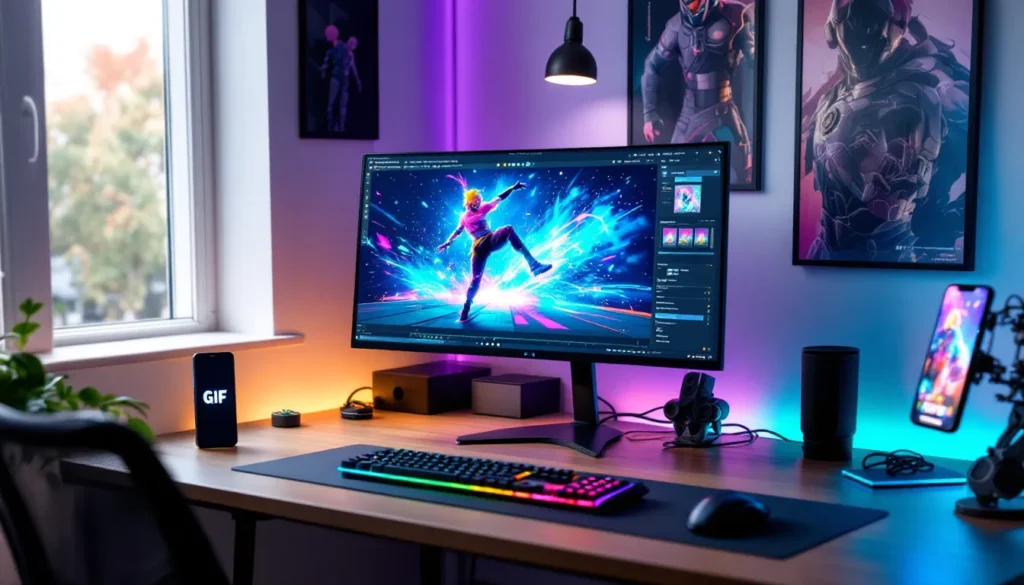
ScreenToGif (PC, free) is purpose-built for this. Record directly from the app, trim frames, adjust speed, and export, all in one interface. It offers frame-by-frame editing, making it easy to perfect loop timing.
OBS Studio (PC/Mac, free) captures high-quality video that you can convert to GIF using other tools. Set output to 60 FPS at 1080p for smooth motion. OBS gives you more control over recording zones and quality settings than built-in screen recorders.
Photoshop (paid, PC/Mac) remains the gold standard for GIF optimization. Import video, select your frames, adjust resolution, apply color correction, and export with precise file size targets. The learning curve is steeper, but the results are worth it.
GIPHY’s GIF Maker (web-based, free) is the easiest entry point. Upload your recorded clip, trim to your desired section, add captions if needed, and export. It’s limited compared to desktop software but requires zero installation.
Gifski (Mac/Windows, free) converts video files to GIFs with exceptional quality. It uses advanced algorithms to maintain smooth gradients and reduce banding, which is crucial for emotes with lighting effects.
For mobile creation, ImgPlay (iOS/Android) handles video-to-GIF conversion with surprising polish. Import from your camera roll, trim, adjust speed, and export directly to your device.
Optimizing Quality, File Size, and Loop Timing
File size is the eternal GIF struggle. Aim for under 5 MB for broad compatibility, under 2 MB for Discord without Nitro, and under 1 MB for older platforms.
Reduce resolution strategically. A 480p GIF of an emote is perfectly readable and cuts file size by 60% compared to 1080p. Go lower (360p) only if you’re hitting file limits on specific platforms.
Limit color palettes to 256 colors or fewer. Most GIF tools do this automatically, but manual adjustment in Photoshop can preserve key colors while aggressive dithering reduces quality.
Frame rate impacts both smoothness and size. 30 FPS is the sweet spot for emotes, fluid enough to capture movement, efficient enough to keep file sizes reasonable. Drop to 20 FPS for longer loops or complex emotes.
Perfect the loop timing by matching the emote’s natural rhythm. Most Fortnite emotes are designed to loop seamlessly. Trim your GIF so the last frame flows naturally into the first. A jarring loop break kills the vibe.
Use lossy compression as a last resort. Tools like gifsicle or Photoshop’s “lossy” export setting can shave 20-30% off file size, but push too hard and you’ll get artifact-heavy garbage. Test different levels until you find the balance.
Creative Ways to Use Fortnite Emote GIFs
Enhancing Social Media Posts and Discord Conversations
Emote GIFs are reaction gold. Posting a clutch clip on Twitter? Drop a Victory Lap GIF in the replies. Someone’s complaining about getting one-pumped? Laugh It Up says everything without words.
Discord servers thrive on emote GIF culture. Upload your favorites as custom server emojis (requires Nitro for GIFs) or keep a personal library you can paste into any channel. Squad channels often develop their own emote language, specific GIFs for “ready up,” “GG,” or “someone got thirsted.”
Instagram Stories and TikTok support GIF stickers through GIPHY integration. Search for your emote, slap it on your video, and let it loop while you narrate your gameplay highlights.
Community managers and fan pages use emote GIFs to boost engagement. A well-timed Griddy GIF in a tweet announcing tournament results gets more interactions than plain text. Visual celebration is contagious.
Those interested in unique Fortnite character expressions might also appreciate other notable skins that have become meme-worthy in their own right.
Streaming Overlays and Twitch Chat Integration
Twitch streamers integrate emote GIFs into alerts and overlays. When someone subscribes, trigger a Best Mates GIF. Hit a donation goal? Party Hips plays automatically. Tools like StreamElements and StreamLabs support GIF triggers through custom alerts.
BTTV and FrankerFaceZ allow custom emotes in Twitch chat, including animated GIFs (with limitations). Converting Fortnite emotes into chat emotes creates channel-specific culture. Viewers spam your custom Take the L when someone gets eliminated in embarrassing fashion.
YouTube stream overlays use GIFs for intermission screens or “BRB” scenes. Loop a chill emote like Chill Vibes or Meditation while you step away, and it’s on-brand content that keeps viewers engaged.
For competitive players and content creators, integrating emotes with crossover content can attract fans from multiple communities.
Memes, Reactions, and Community Engagement
Fortnite emote memes are a whole genre. Default Dance still shows up in unexpected contexts, sports highlights, political commentary, academic presentations. The emote transcends the game.
Reaction GIF usage follows unwritten rules. Slick for smooth moves, Facepalm for obvious fails, Sad Trombone for disappointment. The Fortnite community has assigned emotional context to dozens of emotes, creating a visual vocabulary.
Fan communities on Reddit, Twitter, and YouTube use emote GIFs to celebrate updates, roast bad takes, or commemorate vault/unvault announcements. When Epic brings back a beloved weapon, Victory Royale GIFs flood the comments.
Meme formats evolve around emotes. The “me watching X” formula pairs emote GIFs with relatable scenarios. “Me watching my teammate miss every shot” + Popcorn emote = instant engagement.
Players who enjoy celebrating their style both in-game and out often explore fashion-forward collaborations that extend Fortnite’s cultural reach.
Legal Considerations and Best Practices When Sharing Emote GIFs
Understanding Epic Games’ Copyright and Fair Use Policies
Epic Games owns all Fortnite content, including emote animations, character models, and visual assets. Technically, creating and sharing GIFs of their content requires their permission. Practically, Epic has embraced community sharing and rarely enforces copyright against fan-made GIFs used for personal, non-commercial purposes.
Fair use (in the US) covers commentary, criticism, parody, and transformative work. Sharing an emote GIF in a Discord chat as a reaction likely qualifies. Selling emote GIF packs on Etsy or Fiverr? That’s commercial use and violates Epic’s terms.
Epic’s official content guidelines allow fan creations that don’t imply official endorsement or generate revenue from Epic’s IP without permission. GIFs shared freely in community spaces fall within acceptable use. Monetizing them crosses the line.
Takedowns are rare but possible. If Epic issues a DMCA notice for your GIF, comply immediately. Fighting it isn’t worth the legal hassle, and there are millions of other emotes to work with.
Brands and media outlets face stricter scrutiny. Major gaming outlets typically secure explicit permission or rely on press kits when featuring Fortnite content in articles and videos.
Proper Attribution and Community Etiquette
If you’re sharing someone else’s GIF, credit the creator when possible. A simple “GIF by @username” in your post or description respects the effort that went into making it.
Don’t watermark GIFs you didn’t create. It’s shady, easily called out, and damages your reputation in community spaces. If you made it, a subtle watermark in the corner is acceptable, but don’t let it obstruct the emote itself.
When uploading to GIPHY or Tenor, tag appropriately. Use “Fortnite,” the emote name, relevant seasons, and character names. Proper tagging helps others find your work and builds the collective database.
Respect platform rules. Some Discord servers ban external GIFs, some subreddits require GIFs to be hosted on specific sites. Check community guidelines before flooding channels with content.
If you’re using emote GIFs for content creation (YouTube, TikTok), mention they’re from Fortnite. It’s not just courtesy, it helps viewers understand context and directs traffic back to the game community.
Tips for Organizing and Managing Your Emote GIF Collection
Building a Personal Library by Season and Theme
Organize GIFs by season or chapter to track meta shifts and nostalgia moments. Create folders like “Chapter 1 Classics,” “Chapter 4 Collabs,” and “Chapter 5 Current.” When someone references an OG emote, you’ll know exactly where to find it.
Theme-based organization works for frequent sharers. Sort by emotion (celebration, taunt, chill) or use case (reactions, memes, flex). A “Victory” folder with Victory Royale, Victory Lap, and Legendary Celebration lets you grab the right vibe instantly.
Tag files with descriptive names: “Floss_Emote_Season2_Loop.gif” beats “Fortnite_GIF_14.gif” when you’re hunting through 200+ files. Include the emote name, season, and any unique identifiers.
Maintain a spreadsheet for large collections. Track file name, source, resolution, file size, and upload date. It’s overkill for casual users but essential if you’re managing hundreds of GIFs for content creation.
For those who enjoy exploring different aspects of Fortnite culture, organizing content around iconic skins or specific events can create thematic collections.
Cloud Storage and Easy Access Solutions
Google Drive offers 15 GB free and integrates with mobile and desktop. Create a shared “Fortnite GIFs” folder that syncs across devices. You can access your collection anywhere and share folders with squad members.
Dropbox provides reliable sync and easy public link sharing. Pro accounts get 2 TB, enough for tens of thousands of high-quality GIFs. The mobile app’s offline access means you can browse your collection without data.
MEGA offers 20 GB free with strong encryption. It’s less mainstream but solid for large personal libraries. The desktop sync client keeps your local and cloud collections matched.
Dedicated GIF management tools exist but often aren’t worth the hassle. GifBox (iOS) and Giphy Capture (Mac) offer built-in organization but lock you into their ecosystems.
Back up your collection periodically. Whether it’s to an external drive or secondary cloud service, losing a curated GIF library to a failed drive or accidental deletion is painful. Redundancy saves headaches.
Conclusion
Fortnite emote GIFs have evolved from simple screen captures into a full-fledged communication medium. They bridge the gap between in-game expression and digital conversation, letting players carry their Victory Royale energy into every corner of the internet. Whether you’re hunting down that perfect T-Pose reaction GIF or recording your own custom loops, the tools and communities exist to support your GIF game.
The key is knowing where to look, how to create with quality, and when to deploy the right emote for maximum impact. As Fortnite continues to evolve through Chapter 5 and beyond, new emotes will drop, collabs will surprise us, and the GIF library will keep growing. Stay organized, respect creator rights, and keep your collection fresh. Your squad chat and social feeds will thank you.